Mastering Database Indexing: From Slow Queries to Blazing Fast Performance
A comprehensive guide to database performance tuning, demystifying explain plans, the E.S.R. rule, and join strategies for high-performance SQL.
This article had its first draft written by AI, then got the “human touch” to make sure everything’s clear, correct, and worth your time.
1. The Hook and Introduction
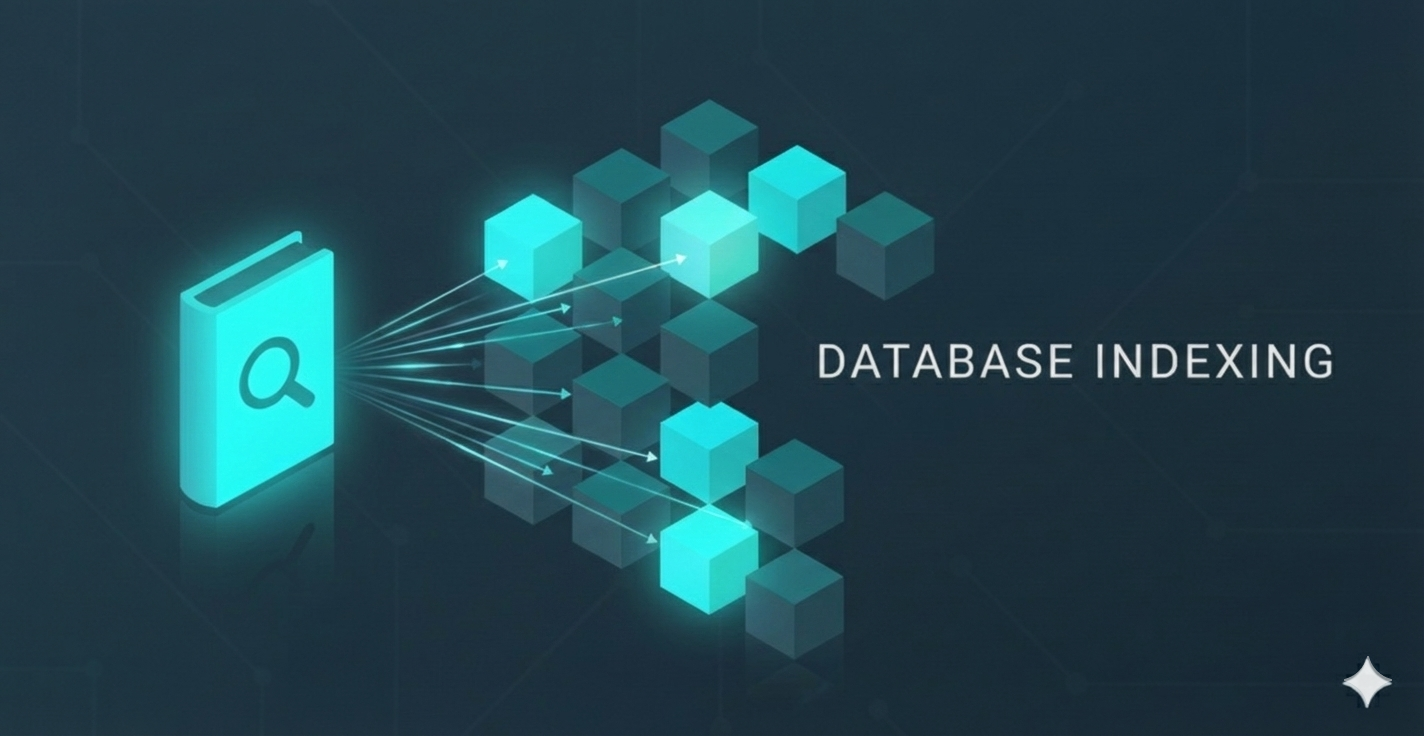
Imagine you walk into a gigantic library looking for a specific book: “The History of Coffee” by a specific author, published in 2020.
In a chaotic library (a database without indexes), the books are thrown onto shelves in random order. To find your book, you have to walk every aisle, pick up every single book, and check the cover. This is a Full Table Scan, and in the software world, it’s the silent killer of application performance.
Now, imagine a library organized with a precise system. You go to the catalog, look up the “History” section, find the “Beverages” shelf, and grab the specific book. You touched three items instead of three million.
In database engineering, Indexing is that catalog system. But simply “adding an index” isn’t a magic button. You need to understand how the database reads that index, how it joins data, and how it plans its route.
In this article, we’ll move beyond the basics of “primary keys” and dive into the mechanics of performance. You’ll learn:
- The core mechanics of Cardinality, Selectivity, and Clustering.
- How to decode the cryptic Explain Plan (the database’s roadmap).
- The E.S.R. Rule (Equality, Sort, Range) for designing perfect composite indexes.
- The war between Nested Loops and Hash Joins.
- How to defeat a “Final Boss” complex query scenario.
2. General Information: The Physics of Data
Before we start tuning, we need to understand the physics of how data is stored and retrieved.
Cardinality & Selectivity
Cardinality refers to the uniqueness of data in a column.
- High Cardinality: Values are very unique (e.g., ISBN, SocialSecurityNumber).
- Low Cardinality: Values repeat often (e.g., Genre, IsHardcover).
Selectivity is the measure of how many rows a query retrieves relative to the total number of rows. An index is most effective when it is highly selective—meaning it points to a tiny percentage of the total data (the “needle”). If you ask for “all books with paper pages” (Low Selectivity), the database ignores the index and scans the whole library because it’s faster than looking up the index 90% of the time.
Physical Architecture: Clustered vs. Non-Clustered
Think of the library again:
- Clustered Index: This is the shelf organization. The books are physically arranged by Dewey Decimal System (or Primary Key). There can be only one clustered index because books can’t physically be in two orders at once.
- Non-Clustered Index: This is the card catalog. It lists Author Name alphabetically and tells you the Dewey Decimal number (pointer) to find the book. You can have many of these.
The “Covering” Index
To make a query truly fast, an index should contain everything the query needs. If you run:
1
SELECT title, author FROM books WHERE publish_year = 2020;
If your index only has publish_year, the database finds the year, but then has to go to the main table (the shelf) to fetch the title and author. This is a “Key Lookup” or “Table Access.”
If you create an index on (publish_year) INCLUDE (title, author), the database finds the answer right in the index card. It never touches the shelf. This is a Covering Index, and it is blazing fast.
Composite Indexes & The Leftmost Prefix
A composite index is an index on multiple columns, like (Last_Name, First_Name).
The database reads this strictly from left to right.
- If you search for
Last_Name = 'Orwell', the index works. - If you search for
Last_Name = 'Orwell' AND First_Name = 'George', the index works perfectly. - The Trap: If you search for
First_Name = 'George'only, the index is useless. The library is sorted by Last Name; knowing the First Name doesn’t help you find the section. This is the Leftmost Prefix Rule.
3. Decoding the Explain Plan
Before you can fix a slow query, you must understand why it is slow. The Explain Plan is the database telling you exactly how it intends to execute your request. It’s not a guess; it’s a blueprint.
When you run an EXPLAIN command, you get a tree structure. Here is a simplified example:
1
2
3
4
|-- Sort (Order By: Amount)
    |-- Hash Match (Inner Join)
        |-- Index Scan (Table: Users, Index: IX_Country)  <-- Deepest 1
        |-- Table Scan (Table: Orders)                    <-- Deepest 2
The Hierarchy: Deepest First
Structure in explain plans is hierarchical. The general rule of thumb is to look for the deepest indented line. That is the operation happening first. The database executes the innermost leaves of the tree and feeds the results up to the parent operations. In the example above, it scans Users and Orders first, then Joins them, then Sorts them.
The Metrics: Cardinality and Cost
There are two numbers that matter more than anything else:
- Cardinality (Rows): This is the database’s estimate of how many rows an operation will return.
- Why it matters: If the database thinks a filter returns 5 rows, it might choose a loop. If it thinks it returns 5,000,000 rows, it might choose a hash. If this number is wrong (due to stale statistics), the database makes bad decisions.
- Cost: An arbitrary unit representing the “effort” (CPU cycles + I/O operations) required. Lower is better.
Access vs. Filter: The Critical Distinction
This is where most developers get confused.
- Access Predicate (The Seek): This is the “Jump”. The database uses the index B-Tree to navigate directly to the starting point of the data. This is fast and efficient.
- Filter Predicate (The Scan): This is the “Walk”. After the database accesses the data (or if it couldn’t use an index at all), it scans through the rows one by one and discards the ones that don’t match. This is CPU intensive.
Pro Tip: If your slow query shows a “Filter” on a column you thought was indexed, your index isn’t being used the way you think it is.
4. The Golden Rule of Composite Indexes (E.S.R.)
A common mistake is thinking that if you query on columns A, B, and C, you just need three separate indexes. Usually, you need one composite index. But what order do the columns go in? (A, B, C)? (C, A, B)?
The answer lies in the E.S.R. Rule: Equality, Sort, Range.
4.1. Equality (=)
Place columns used in equality comparisons first.
- Example:
WHERE user_id = 55 - Why: Equality shrinks the search space to a specific, contiguous block of the index. It eliminates the most noise immediately.
4.2. Sort (ORDER BY)
Place columns used for sorting second.
- Example:
ORDER BY created_at - Why: If the data is already filtered by Equality, the remaining subset is pre-sorted in the index structure. The database can just read the rows off the disk in the order you requested, completely skipping a generic, expensive “File Sort” operation.
4.3. Range (>, <, BETWEEN)
Place columns used for range filters last.
- Example:
WHERE price > 100 - Why: Once you perform a range scan, the “sorted” nature of the B-Tree for subsequent columns is lost. You cannot efficiently jump to the next value. The index essentially “stops” working for ordering purposes after a range condition.
The Formula: If your query is:
1
2
3
4
5
6
7
8
9
10
11
12
13
-- The Query: Fetch specific columns to allow for a Covering Index
SELECT   order_id, status, total, created_at
FROM     orders
WHERE    status = 'SHIPPED'   -- 1. Equality
         AND total > 50.00    -- 3. Range (Applied as filter after sort)
ORDER BY created_at DESC;     -- 2. Sort

-- The Index strategy:
CREATE INDEX idx_orders_esr ON orders (status, created_at, total) INCLUDE (order_id);
-- Note on "Covering Indexes":
-- We add "INCLUDE (order_id)" so the database can find the ID without looking up the main table.
-- * Postgres/SQL Server: Use the INCLUDE syntax (saves memory).
-- * MySQL/Oracle: You must add it to the main key: (status, created_at, total, order_id).
A naive developer might index (status, total, created_at).
The E.S.R. Developer indexes (status, created_at, total).
Wait, why? Because after status (Equality), we want to maintain the sort order (created_at). If we put total (Range) in the middle, we have to scan the range, and the resulting rows are no longer sorted by date, forcing the database to manually sort them.
5. Join Wars: Nested Loops vs. Hash Joins
When you join two tables, the database engine has to figure out how to match the rows. It typically chooses between two heavyweight contenders.
The Nested Loop: The Relay Race
Imagine a relay race.
- Outer Table (Runner A): Runs a lap, hands off the baton.
- Inner Table (Runner B): Takes the baton, runs a lap.
In a Nested Loop Join, the database takes the first row from Table A, then searches Table B for a match. Then it takes the second row from A, and searches B again.
- When it wins: When the “Outer” dataset is small (e.g., 10 rows) and the “Inner” table is indexed on the joining column (Foreign Key). It allows for incredibly fast, pinpoint lookups.
- The Bottleneck: If Table A has 100,000 rows, that’s 100,000 separate lookups into Table B. This is the “Death by a Thousand Cuts.”
The Hash Join: The Sorting Party
Imagine you have two decks of cards, red and blue, and you want to match the Ace of Spades with the Ace of Spades. Instead of picking one red card and looking through the whole blue deck (Nested Loop), you throw a Sorting Party.
You take the smaller deck (Red) and build a “Hash Table” in memory (buckets based on card value). Then, you scan the Blue deck one by one and instantly calculate which bucket it belongs to.
- When it wins: When you are joining massive datasets (bulk reporting, analytics) where indexes might not cover everything.
- The Bottleneck: It requires memory. If the hash table doesn’t fit in RAM, it spills to disk, killing performance.
6. The “Final Boss” Scenario
Let’s apply everything to a realistic, complex scenario.
The Query: We want to find all VIP users who made a purchase last month, sorted by the transaction amount.
1
2
3
4
5
6
SELECT   u.name, t.amount, t.date
FROM     users u
         JOIN transactions t ON u.id = t.user_id
WHERE    u.status = 'VIP'              -- Equality
         AND t.date > '2023-10-01'     -- Range
ORDER BY t.amount DESC;                -- Sort
The Analysis
- The Join: We are joining Users and Transactions. Users is likely the smaller table (Driving table), so the optimizer will likely try to find VIPs first.
- The Indexes needed:
- For Users: We need to find ‘VIP’s fast by filtering on (status) and
INCLUDEthe (name) - For Transactions: We need to find matches for those users (user_id), filter by (date), and sort by (amount).
- For Users: We need to find ‘VIP’s fast by filtering on (status) and
The Trap
If we index Transactions as (user_id, date, amount), let’s apply E.S.R.:
- E (Equality): user_id (Coming from the join).
- R (Range): date.
- S (Sort): amount.
With (user_id, date, amount), we satisfy Equality and Range. But because Range (date) is in the middle, we cannot use the index for sorting amount. The database will gather all transactions for that user in that date range and then perform a slow Using filesort in memory.
The Solution
Here is the Index for Users:
1
CREATE INDEX idx_users_vip ON users (status) INCLUDE (name);
And here is the Index for Transactions:
1
CREATE INDEX idx_transactions_optimized ON transactions (user_id, amount, date);
- Equality (user_id): The database jumps to the specific user.
- Sort (amount): The data is now physically stored in order of amount. The database reads it in the correct order instantly.
- Range (date): As the database reads the sorted amounts, it checks the date. If it matches, it keeps it. If not, it discards it (Filter).
While we might scan a few extra rows that don’t match the date, we gain a massive advantage: we avoid sorting. Sorting the entire result set by amount is significantly more expensive than simply scanning a few extra rows that fail the date filter. In high-volume systems, eliminating the sort is often the key to scalability.
7. The Price of Speed: Read vs. Write Trade-offs
Indexes are not magic. They are simply redundant data structures that require maintenance. Every time you create an index, you are making a specific deal with the database engine.
The Trade-off:
- Read Speed: Increases dramatically. The database can traverse a B-Tree instead of scanning millions of pages.
- Write Speed: Decreases. Every time you
INSERT,UPDATEorDELETE, the database must not only modify the table but also rearrange the B-Tree structure of every single index on that table. - Storage: Indexes consume disk space. A heavily indexed table can easily take up 2x or 3x the space of the raw data.
When to Prioritize Read Speed (Use Indexes)
You should index heavily when your application is Read-Heavy (High Read-to-Write Ratio).
- Example: An E-commerce Product Catalog
- Usage: Users search, filter, and view products millions of times a day.
- Updates: Product prices or descriptions change rarely (maybe once a day).
- Strategy: Create indexes on everything searchable (category, price, brand, color). The slight delay during a price update is irrelevant compared to the need for instant search results for the customer.
When to Prioritize Write Speed (Avoid Indexes)
You should be sparing with indexes when your application is Write-Heavy.
- Example: IoT Sensor Logging
- Usage: Thousands of temperature sensors sending data points every second.
- Updates: Massive, constant ingestion of new rows (
INSERT). - Strategy: Avoid indexes on non-critical columns. If you put 5 indexes on this table, a single insert triggers 6 physical writes (1 table + 5 indexes). This can choke your ingestion pipeline. Instead, index only the primary key and perhaps the timestamp, and rely on batch processing for analytics later.
8. Conclusion
Database performance isn’t about guessing; it’s about physics. It’s about minimizing the physical movement of the disk head and the logical cycles of the CPU.
Key Takeaways:
- Explain Plan: Always look at the deepest indent first. Know the difference between a cheap “Access” and an expensive “Filter”.
- E.S.R. Rule: When building composite indexes, order matters: Equality first, Sort next, Range last.
- Join Strategy: Nested Loops are for precise, small lookups. Hash Joins are for heavy lifting.
- Cardinality: The database’s decisions are only as good as its row estimates. Keep your statistics fresh.
Final Thought: The next time you write a query, close your eyes and visualize the B-Tree. If you can see the path, the database will too.
9. References & Further Reading
- SQL Performance Explained by Winand, Markus.
- The Art of SQL by Molinaro, Stephane.
- Use The Index, Luke: A Guide to Database Performance for Developers